
Say it out loud. They hear it in theirs.
Some things are faster spoken than typed — asking directions with your hands full, explaining what you need at a counter. Speak the phrase, show the screen or play it aloud, and carry on with the conversation.
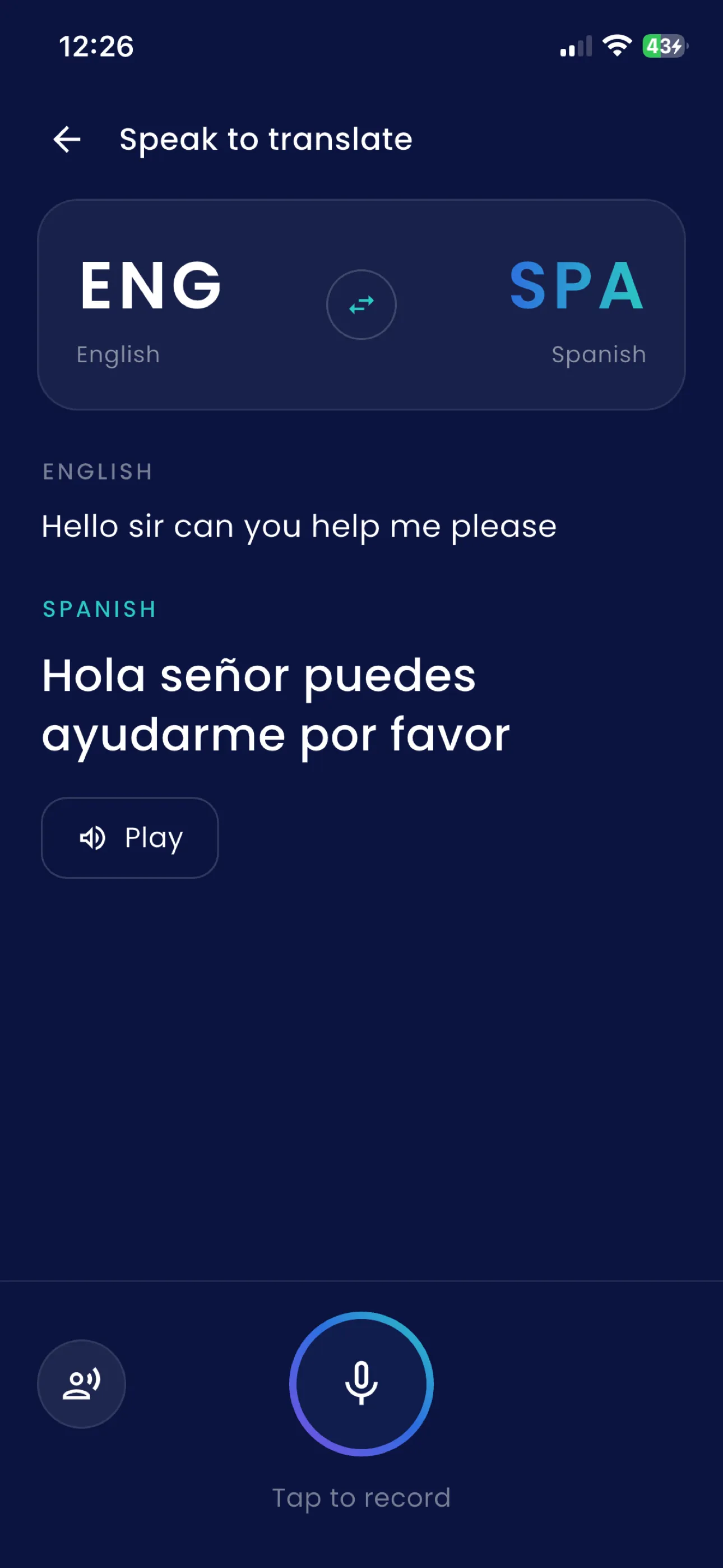
Read it, or let the phone say it
Your phrase appears in your own language and theirs, one above the other. Turn the screen around and let them read it, which is quicker and quieter than a phone talking at someone across a counter.
When reading will not do — hands full, bad light, someone who would rather listen — tap Play and the translation is spoken aloud.
Your iPhone does the listening, and that is the catch
SofiLingo does not ship its own speech recognition. It uses Apple's, the same one behind dictation, which means it is as good as your phone is — and limited in the same way. On current iPhones that covers roughly half of the 58 languages.
We cannot tell you which half, and neither can anyone else: it depends on the speech packs your own phone has installed. So the app tells you, in the app, when you pick a language it cannot hear — instead of letting you find out while someone is waiting for an answer.
Typed translation has no such limit. It works in every one of the 58, offline, which is why it is the fallback whenever speech is not available. What works with no internet.
With an offline speech pack
The audio becomes text on the device and goes nowhere at all. The translation of that text happens on the phone too.
Without one
Your phone sends the audio to Apple to transcribe, exactly as iOS dictation does everywhere else — and it never reaches us. We do not receive the recording, store it, or pass it through a server of ours. What leaves your phone.
The microphone is yours to refuse
The app asks the first time you use spoken translation, and records only while you are recording. Say no and everything except speech still works.
Questions
How does voice translation work in SofiLingo?
Record a phrase and the app shows it in both languages, so you can hand the phone over to read — or tap Play and let it say the translation out loud.
Which languages can my iPhone hear?
Roughly half of them, and which half depends on the speech packs your own iPhone has, so no web page can tell you honestly. SofiLingo says so in the app when you pick a language it cannot hear, rather than failing at the moment you speak.
Does voice translation work offline?
Only where your iPhone has an offline speech pack for that language. Without one, turning your voice into text needs a connection. The translating always happens on the phone, and typed translation works offline in all 58 languages — which is the fallback when speech cannot be used.
Where does my voice recording go?
If your iPhone has the offline speech pack, the audio becomes text on the device and goes nowhere. If it does not, your phone sends the audio to Apple to transcribe, exactly as iOS dictation does everywhere else. It never reaches SofiLingo: we do not receive the recording, store it, or pass it through any server of ours.
Try it on the language you need
The first 15 translations are free, with ads and no card. If your phone cannot hear the language you are going for, the app will say so — and typing will still work everywhere.
Get SofiLingo on the App StoreNext: a translator for going abroad · translating with the camera · translating a restaurant menu · all 58 languages