
Translate with no internet on your iPhone
Aeroplane mode, a dead roaming plan, a basement restaurant with no bars — the translator has to work there or it is not a travel translator. Here is exactly what SofiLingo does without a connection, and the part it cannot do.
All 58
Typing works offline
Type a phrase, read the translation, show the screen. Every language, once its pack is on the phone — about 30 MB each, downloaded over wifi before you travel.
25 + 16
The camera, with no bars
25 languages are scanned and translated by the phone alone. Another 16 read more accurately online and fall back to the phone when there is no signal.
17
Need a connection — and are kept
The phone cannot read these scripts at all. Scan anyway: the photo is saved and translates itself the moment you are back online. See which languages.
Capture it now. It translates itself later.
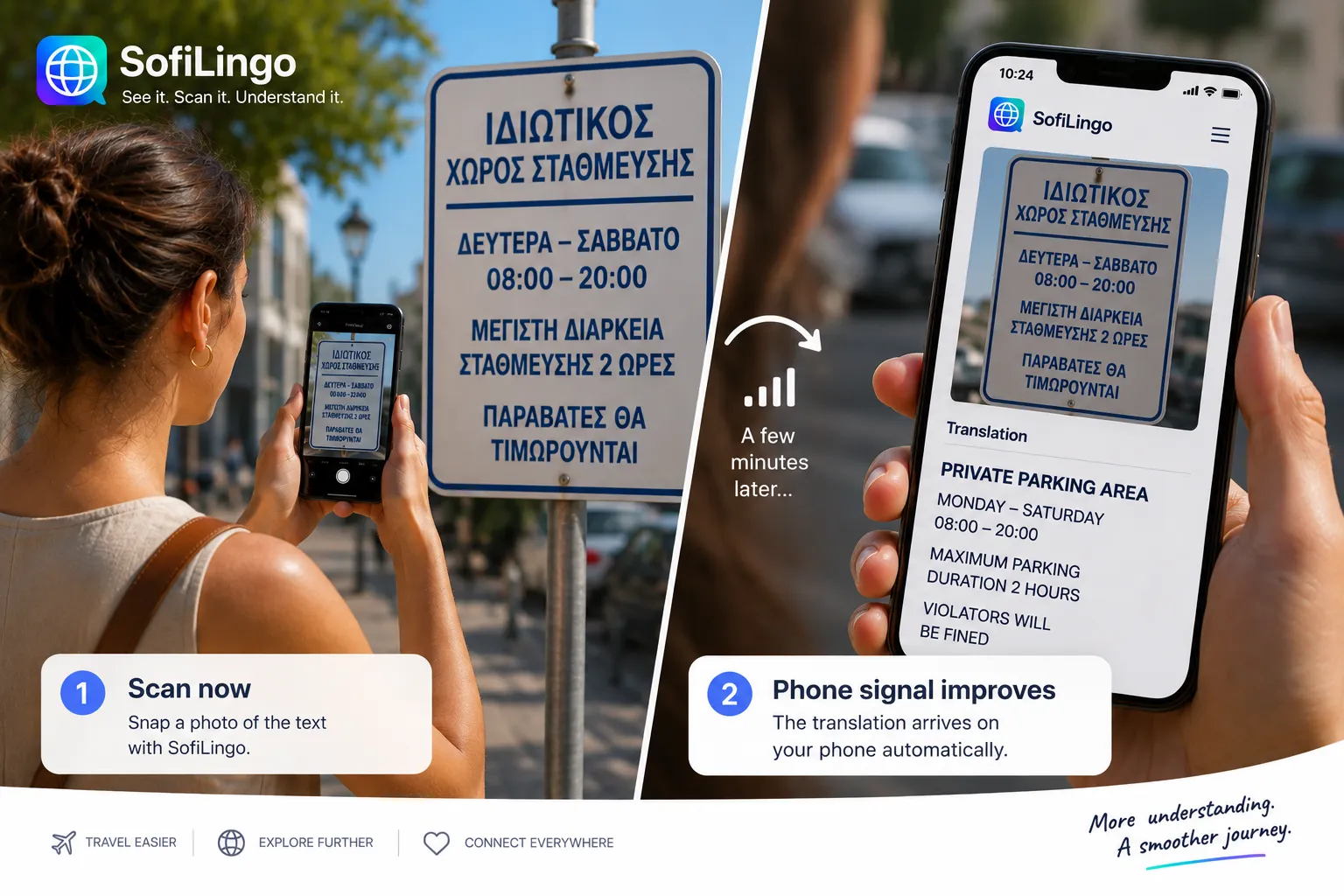
This is the case most translation apps leave you to discover at the wrong moment. A Greek parking sign needs a connection to read, and you are standing in front of it without one.
Scan it anyway. SofiLingo keeps the photo, and the translation arrives on its own when your signal comes back — on the bus, at the hotel, whenever. You never lose the sign you were standing in front of.
Online and offline, side by side
Nothing here is hidden behind a connection except the part that genuinely needs one.
| What you are doing | With a connection | With none |
|---|---|---|
| Typing a phrase | Works in all 58 | Works in all 58, from the downloaded pack |
| Scanning a menu or sign | Works in all 58, most accurately | 41 read on the phone; the other 17 are kept and translated later |
| Speaking out loud | Uses the iPhone's own speech recognition | Works wherever the iPhone has that language's speech pack — about half |
| Reading a scan again | Saved on the phone | Saved on the phone |
| Signing in | Nothing to sign in to | Nothing to sign in to |
The per-language detail is on the languages page, which is generated from the app's own code rather than written by hand, so it cannot drift away from what the app does.
Questions
Does SofiLingo work with no internet at all?
Typed translation works with no signal in all 58 languages, once you have downloaded the language you need. The camera reads 25 languages on the phone with no signal, and 16 more fall back to the phone when there is none. The remaining 17 need a connection, and SofiLingo keeps the photo and translates it when you are back online.
What do I need to do before I fly?
Download the languages you want over wifi before you go. Each is about 30 MB. Nothing else: there is no account to create and no sign-in on the other end.
Why do some languages still need a connection for the camera?
Reading text in a photograph is a separate job from translating it. The iPhone can recognise some scripts on the device and not others, so those languages are read by a server when there is one. Translation itself runs on the phone.
Do my translations get sent anywhere?
Typed text and its translation never leave the phone. A photo is sent for text recognition only in the languages the phone cannot read, and only when there is a connection. There are no analytics in the app.
Try it before you fly
The first 15 translations are free, with ads and no card. The Holiday pass is $4.99 for 14 days, one payment, and does not renew — so there is nothing to cancel when you get home.
Get SofiLingo on the App StoreNext: a translator for going abroad · translating with the camera · translating a restaurant menu · speaking a phrase out loud · what works offline in all 58 languages · how this differs from Google Translate · what stays on your phone · passes and prices